

Affilae tracking fundamentals
Explore the most popular articles
This documentation will help you understand the core concepts of Affilae tracking and how to handle the essential elements for a successful integration.
The 5 fundamental steps
- Understand the tracking basics.
- Set up your program (creation and configuration).
- Implement the tracking code.
- Finalize and run tests.
- Identify and contact your partners.
How Affilae tracking works
1. The click
Affilae tracking relies on two fundamental metrics: clicks and conversions.
-
C2S (Client-to-Server): The Affilae tag fires on your site, and a click is collected for that user.
-
S2S (Server-to-Server): A ClickID is generated during the redirection to your site.
2. The conversion (Purchase or other event)
When a conversion occurs (purchase, signup, etc.), a conversion tag is triggered. This tag contains:
- PID (Program ID)
- Key (Associated with the commission rule)
- Order Number
- Order Amount (excluding tax)
- Currency
- Voucher Code
- Product IDs
Technical essentials: Keys and PIDs
What are Keys? Every commission rule created in Affilae generates a unique key. These keys are critical because they link a conversion to the correct rule and payout level. If you have three different commission rules, you must manage three different keys in your integration.
Where to find your KEY and PID?
-
Log in to your Affilae interface.
-
Navigate to Configuration ➜ Tracking ➜ Integration via an Affilae module.
-
Your PID and Keys are displayed within the details of each rule.
Integration Options
You can choose between two methods based on your e-commerce solution:
-
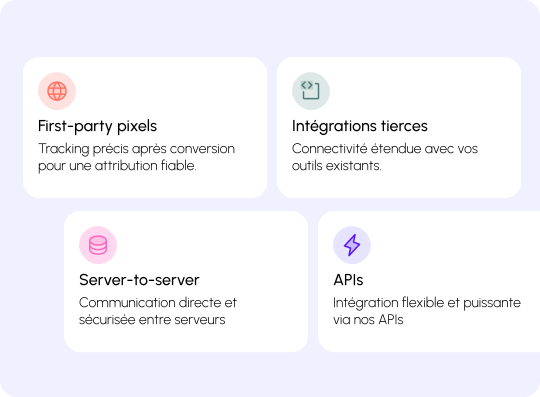
Client-to-Server (C2S): Recommended for a fast and easy setup. The client (browser/app) sends the request to the server.
-
Platforms: Shopify, WooCommerce, PrestaShop, Custom Integration, GTM (Client-Side).
-
-
Server-to-Server (S2S): More robust and secure. Communication happens directly between servers.
-
Platforms: Custom S2S, GTM (Server-Side).
-
Recommendation: Once integrated, always perform a full tracking test (click + conversion), ideally in a staging or production environment.
Key Terms & Definitions
-
PID (Program ID): The unique identifier for your affiliate program. It ensures conversions are attributed to your specific account.
-
Key (Commission Rule Key): A unique code for each rule. It tells the system which commission rate to apply. It consists of the rule ID and the PID separated by a hyphen (e.g.,
RuleID-PID). -
Conversion Tag: The technical element that collects and transmits sales data (amount, order ID, key) to Affilae.
-
ClickID: A unique identifier created when a visitor clicks an affiliate link, used to track the journey until conversion.
-
Commission Rule: The setting that defines how you pay affiliates (CPC, CPA, CPL).
-
DataLayer (GTM specific): A JavaScript “data container” on your site that stores and sends info (like purchase details) to tracking systems like Google Tag Manager.
-
Client-to-Server (C2S): Tracking via JavaScript in the visitor’s browser.
-
Server-to-Server (S2S): A highly reliable method where data is sent directly from your server to Affilae, bypassing browser limitations and ad-blockers.